Pro order types
The seven order types in the ticket's Pro menu: what each one does, its fields and limits, where it shows in the console, how it ends, and what it pays in fees.
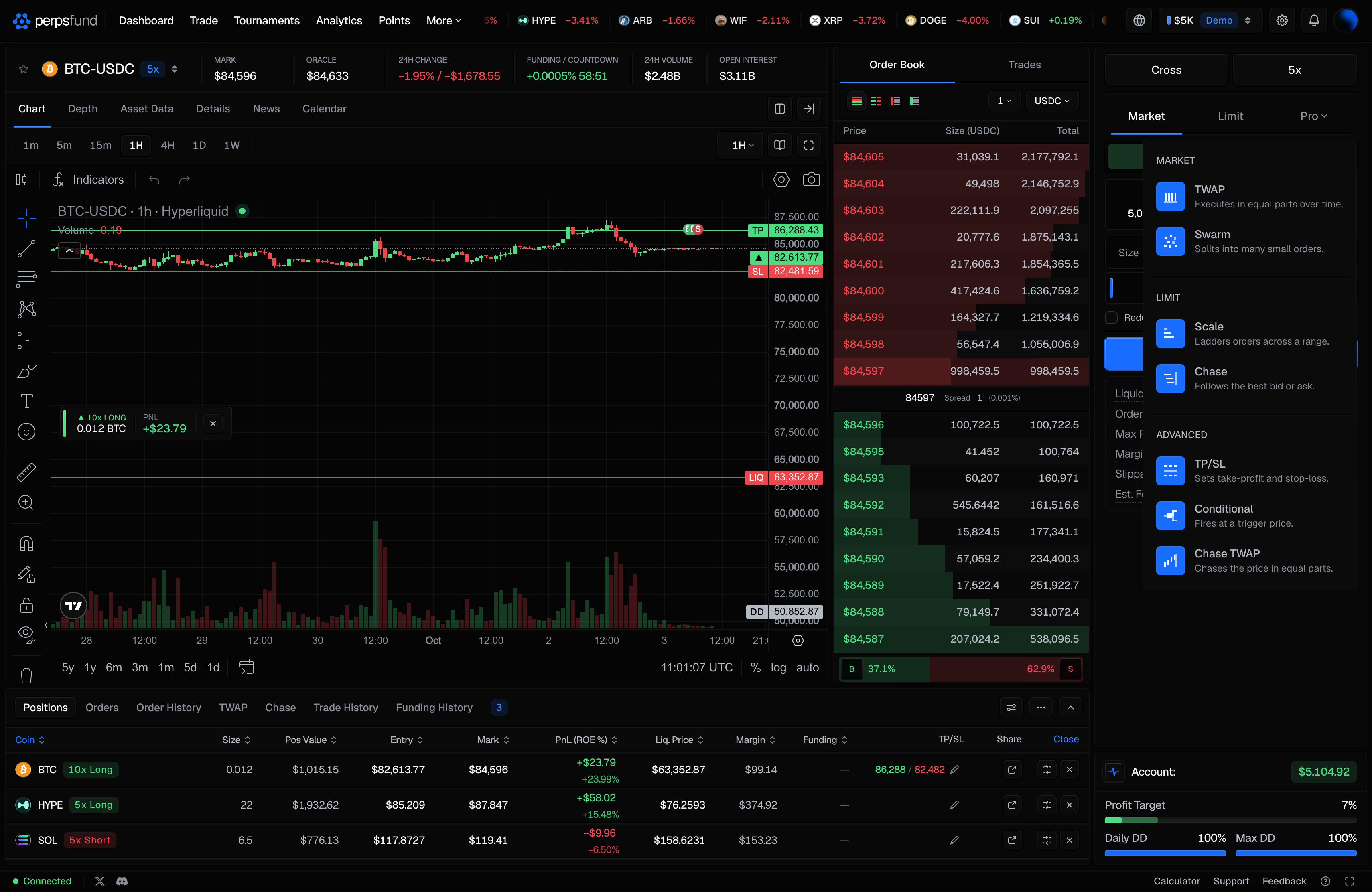
The third tab of the order ticket, Pro, opens a menu of seven order types. Once you pick one, the tab shows its short name (for example Scale or Cond.) and the ticket shows that type's form. They are on the desktop terminal and on the phone. This page assumes you know the ticket itself; if not, start with Placing an order.
Who can place them
Pro orders are placed on an account you own, including a free trial. The demo terminal at /trade lets you open the menu and fill in a form, but pressing the button asks you to claim an account instead of placing anything. An account that has passed its phase or breached cannot place Pro orders.
The Pro menu
The menu groups the types by the order they are made of.
| Group | Type (tab label) | Menu description |
|---|---|---|
| Market | TWAP | Executes in equal parts over time. |
| Market | Swarm | Splits into many small orders. |
| Limit | Scale | Ladders orders across a range. |
| Limit | Chase | Follows the best bid or ask. |
| Advanced | TP/SL | Sets take-profit and stop-loss. |
| Advanced | Conditional (Cond.) | Fires at a trigger price. |
| Advanced | Chase TWAP (C-TWAP) | Chases the price in equal parts. |
What every Pro order shares
- Side, size and leverage come from the ticket, as for any order. The size is the total the order works.
- The whole order is checked when you place it. Its full size is checked against your loss limits and the position caps, and it is refused up front, with the number, if it would break one.
- Every piece clears the order floor. Each rung, clip or sweep must be worth at least $10. Forms that split an order show a Min Order Value row for the smallest total the settings allow.
- Reduce only is on every Pro form and is sent with all six (Scale, TWAP, Swarm, Conditional, Chase and Chase TWAP), so any of them can be used to exit. A reduce-only Scale is a laddered exit: every rung can only shrink your position.
- No TP / SL box. A Pro order cannot carry take-profit and stop-loss levels, so a Pro form does not show the box. Set levels on the position once it is open, with the Pro menu's TP/SL or the position's pencil (see Take-profit and stop-loss).
- Breach. If your account breaches, every running Pro order on it is stopped and you are told which.
- Delisting. If a market is delisted, a resting order or a whole running order on it is cancelled as one unit, and you get one notice.
Scale
A Scale order places a ladder of limit orders between two prices in one step.
| Field | What it means |
|---|---|
| Start (USDC) | The first order's price. |
| End (USDC) | The last order's price. The ladder spaces the orders evenly between Start and End. |
| Orders | How many limit orders, from 1 to 100. One puts the whole size at Start. |
| Skew | How the size is shared out, from 0.1 to 10. 1 spreads it evenly; 2 makes the last order twice the size of the first; below 1 puts more at the start. |
The cost card shows Avg Price, the size-weighted average of the ladder, which is what the other figures are worked out from. Each rung is an ordinary resting limit order and fills at its own limit price when the market reaches it. In the console, the ladder shows in Orders as one group row above its resting orders, with Cancel all to cancel the rungs that have not filled. A rung that has filled is a position like any other.
TWAP
A TWAP order buys or sells its size in equal market orders over a period of time.
| Field | What it means |
|---|---|
| Duration (min) | How long the order runs, from 5 minutes to 24 hours, with presets. One market order goes out every 30 seconds. |
| Randomize size | Varies each order's size by up to 20% either way. The total stays the same. |
| Randomize time | Varies the gap between orders by up to 20% either way. |
A longer duration means more orders, and every order has to clear the $10 floor, so the form shows the minimum order value your duration implies. The longest TWAP needs at least $28,800, and with Randomize size on each order needs a base of at least $12.50 so the smallest draw still clears the floor.
If the price feed pauses, the TWAP pauses with it and finishes later rather than skipping orders, so its end time can move.
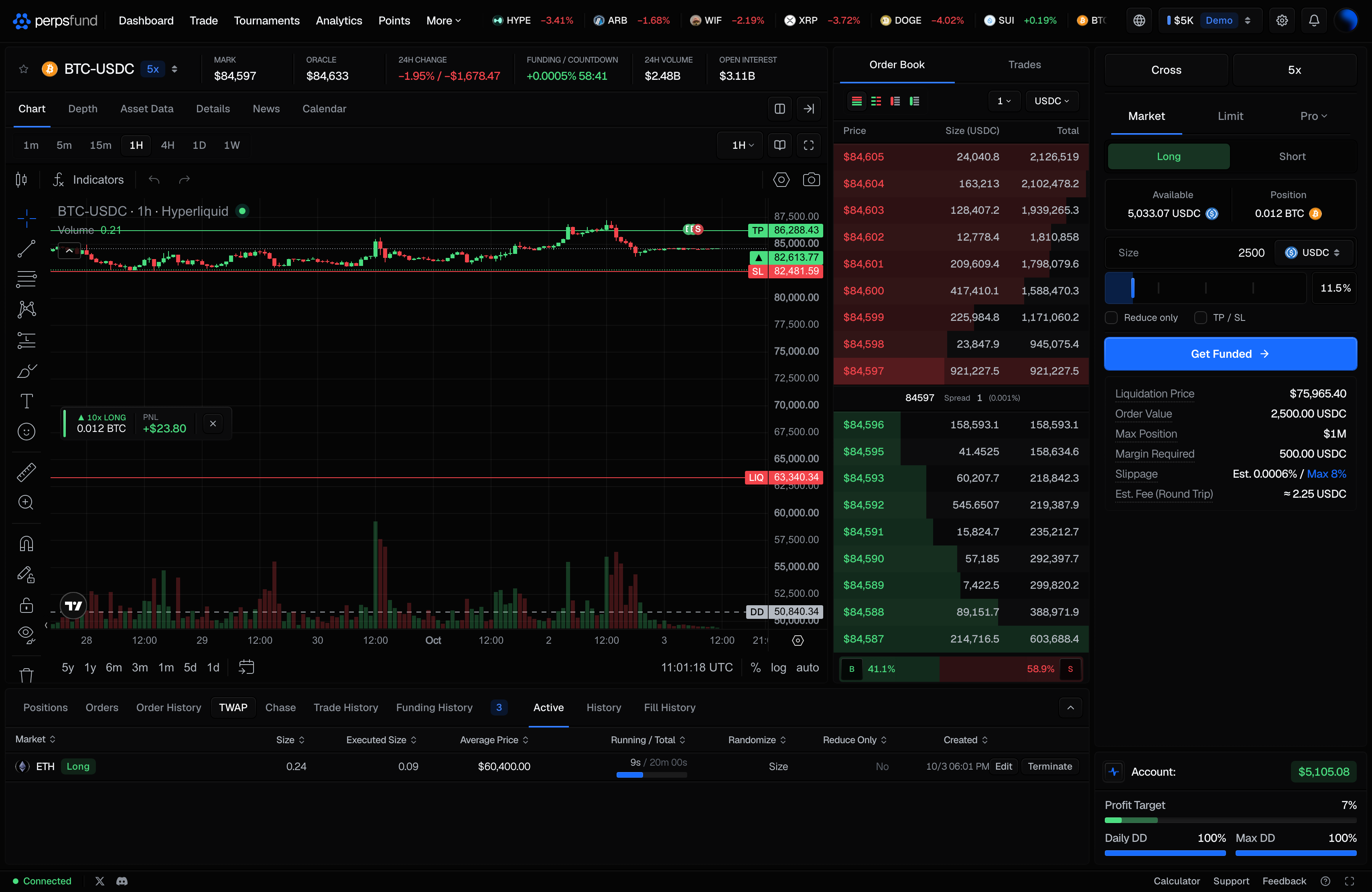
TWAP orders have their own TWAP tab in the console, with Active, History and Fill History. On the desktop you can raise or lower a running TWAP's total size (Edit), as long as the new total is above what has already executed; nothing else about it can be changed. Terminate stops it, and what has already executed stays open.
Swarm
A Swarm splits its size into many small market orders and sends them out fast.
| Field | What it means |
|---|---|
| Orders | How many orders, from 2 to 200. |
| Speed | From 1 (slowest) to 5 (fastest): 1, 2, 5, 10, or 20 orders go out on each pass of the engine. A faster swarm finishes sooner but takes whatever the price does in that window. |
| Slippage (bps) | How far the price may move against you, in basis points from the price when you placed the order, before an order is refused. From 1 to 1,000. |
| Irregular clips | Varies each order's size by up to 20% either way, keeping the total. |
A refused order is reported and not retried; its size moves to the orders that follow, so a fast market can leave part of your size unfilled. A move in your favour never counts as slippage. The biggest swarm needs at least $2,000 so that each order clears the floor. A running swarm shows in Orders with its progress and a Stop control.
Conditional
A Conditional is a stop order: it waits until the market reaches your stop price, then places an order.
| Field | What it means |
|---|---|
| Market or Limit | What happens when it triggers: a market order, or a limit order at your Limit Price. |
| Stop Price | The level the market has to reach. |
| Limit Price | Limit only. The price of the limit order the stop places. |
- Direction. A stop to buy must sit above the current price, and a stop to sell below it. A stop on the other side is refused with a pointer to a plain limit order, which is what that trade is.
- Trigger. It triggers on the mark price, the moment the mark touches your level or moves through it.
- Market. The order fills at the mark when it triggers, which can be a little better or worse than your level.
- Limit. From the moment it triggers it is an ordinary limit order at your Limit Price, resting like any other. A stop-limit can trigger and never fill.
- Private until it fires. The trigger is held on our servers and nobody sees it until it fires.
- Reduce only. A reduce-only stop needs a position to close when you place it. If you close that position yourself before the stop triggers, the stop is stopped when it would have fired, and you are told.
- Refused at trigger. If a risk check refuses a Market stop's order at the moment it triggers, the stop stays armed and goes in once the check passes.
An armed Conditional shows in Orders with a Stop control, and you get a notification when it triggers.
Chase
A Chase order rests at the best price on your side of the book and follows it as it moves: the best bid for a buy, the best ask for a sell. It fills when the other side of the market trades to your price, and each fill is at most the size quoted there.
| Field | What it means |
|---|---|
| Chase To | Optional. The furthest the order will follow. Leave it empty to follow the market with no limit. Set it, and the order follows only up to that price and then rests there. It does not cancel, so it is still waiting if the market comes back. |
If the Chase To you type is already past the market, the form warns you: a chase that cannot follow is a limit order. You can have one Chase or Chase TWAP running per market on an account. A Chase stops after 200 fills, and you are told, so a large order on a thin market cannot run forever.
Chase orders have their own Chase tab in the console, with Active and History. The Active table shows where the order is resting now (Resting), how far the other side of the book is from it in basis points (Distance) and how much has filled (% Completed).
Chase TWAP
A Chase TWAP works its size over time like a TWAP, but each minute is worked as a Chase instead of a market order.
| Field | What it means |
|---|---|
| Duration (min) | From 5 minutes to 24 hours. The order is worked in clips of 1 minute. |
| Chase To | Optional, as for a Chase. |
Every fifth minute a market order (a sweep) takes one minute's share of what is still unfilled, and a final sweep at the end takes everything left. A sweep is skipped if the market has moved more than 8% against you from the price when you placed the order; if the final sweep is skipped, the order ends short of its size. Because every sweep must clear the $10 floor, the minimum order value is that floor times the number of sweeps, and the form shows it. Chase TWAP orders show in the Chase tab, marked by their kind.
TP/SL
TP/SL shows the take-profit and stop-loss on your position in the current market, with Set TP/SL or Edit TP/SL. With no position in the market, it asks you to open one first. It is the same control as the pencil in the position's TP/SL column; see Take-profit and stop-loss.
Where they show and how they end
| Console tab | Pro orders shown there |
|---|---|
| Orders | Scale (as a group), Swarm and Conditional |
| TWAP | TWAP |
| Chase | Chase and Chase TWAP |
A finished order moves to its tab's History with one of four endings: Done (it completed), Stopped (you stopped it, or it ended early: a Chase at its fill limit, or a reduce-only stop with no position left to close), Breached (your account breached) or Delisted (the market was delisted). Stop, Cancel all and Terminate ask for a second press (Confirm?) unless you turned that off in Terminal settings.
Account-wide limits
- Running at once. Up to 5 Pro orders can run on an account at the same time. Scale, TWAP, Swarm, Chase and Chase TWAP count toward it together.
- Conditionals armed. Up to 20 Conditionals, counted separately, so a protective stop is never blocked by running TWAPs.
- One chase per market. One Chase or Chase TWAP per market per account.
When you reach a cap, the order is refused with a message that names the limit and how many you have running; stop or cancel one to place another. A Scale ladder is placed as one request however many rungs it has, and you can place up to 20 per minute.
Fees
| Type | Fee when it opens or adds to a position |
|---|---|
| Scale | Maker 0.015% on each rung that fills |
| TWAP | Taker 0.045% on each order |
| Swarm | Taker 0.045% on each order |
| Conditional, Market | Taker 0.045% |
| Conditional, Limit | Maker 0.015% when the limit fills |
| Chase | Maker 0.015% on each fill |
| Chase TWAP | Maker 0.015% on the chased fills, taker 0.045% on the sweeps |
Any fill that closes or reduces a position pays the taker fee, whatever type placed it. Each form's Est. Fee (Round Trip) row estimates the open and the close together; for a Chase TWAP it assumes the taker rate, the higher of the two.
The rules behind them
These are the decisions that shape how the seven types behave, in plain terms.
- A Chase rests at the best bid or ask and fills only when the market actually trades to your price. That is why it pays the maker fee. It never claims a place in the queue ahead of other orders.
- A limit order that rests fills at exactly your limit price, even if the market gaps through it. The better price applies only to a limit that was already marketable when you placed it.
- A Scale ladder is one request, so a ladder with many rungs is not slowed by the order rate limit.
- A ladder or run whose total would break a position cap is refused when you place it, with the number, not part-way through.
- Swarm Speed is how many orders go out on each pass of the engine.
- Conditionals trigger on the mark price. There is no choice of trigger price.
- Swarm slippage and the Chase TWAP sweep cap are measured from the price when you placed the order. They are separate from the Market ticket's max slippage, which applies only to a market order placed from the Market ticket or through the API, not to the orders a Pro run sends.
- Each account can have 5 Pro orders running at once; Conditionals are counted separately, up to 20.
- If a market is delisted, a resting order or a whole running order is cancelled as one unit and you are told once.
- A Chase is repriced on its own loop as the best bid or ask moves, not on the engine's regular pass.
- Reduce-only limit orders, such as a take-profit placed as a limit, also fill at the price you typed, not a better gap price.
Rules 2 and 11 changed how limit orders fill; the date is in the rules changelog.
On your phone
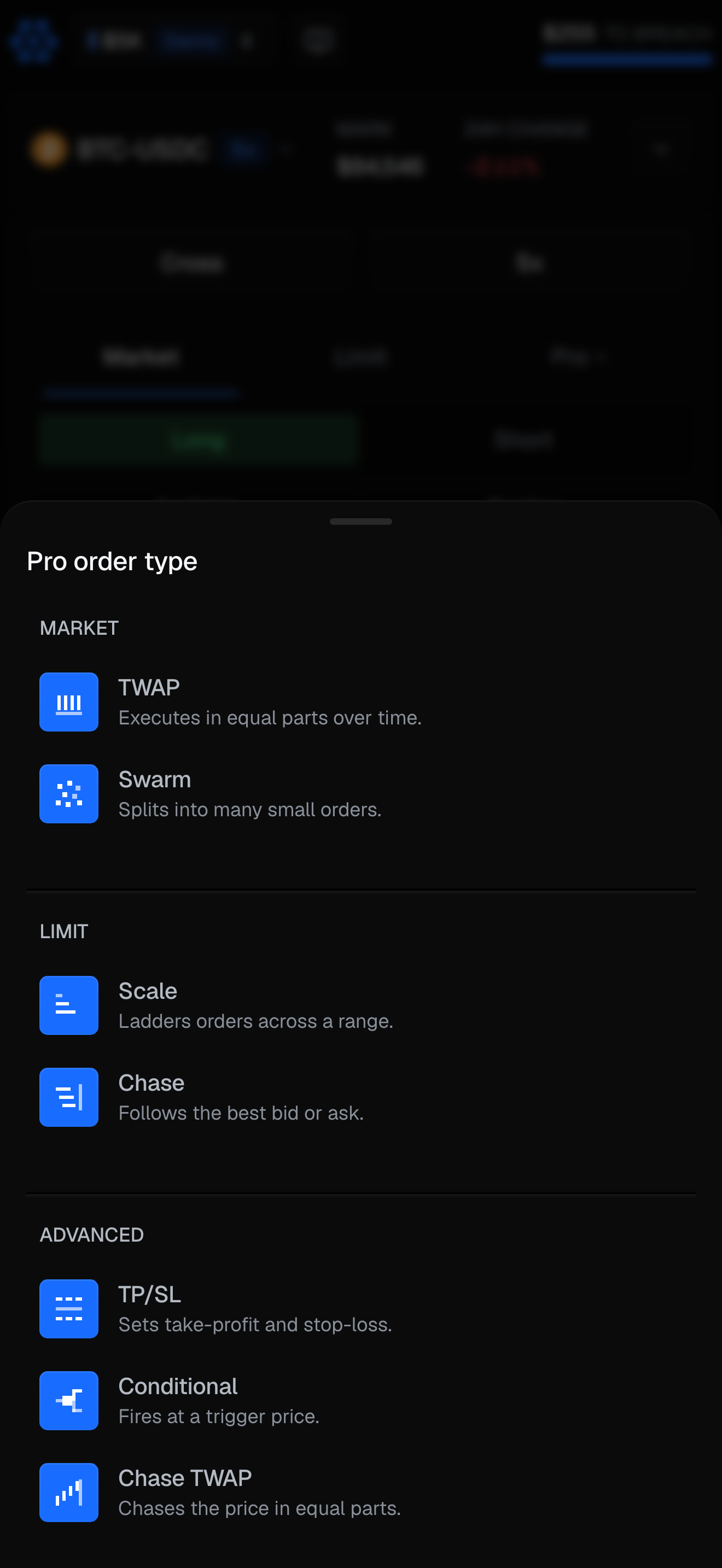
On the phone, Pro on the Trade tab opens a Pro order type sheet with the same seven types, and each type has its own form with the same fields (the phone labels the Conditional's stop price Trigger (USDC) and the Scale skew Size Skew). Running Pro orders show at the top of the Orders list on the Positions tab, with their progress, average price and a cancel control. The phone has no TWAP or Chase tabs, no fill history for a run and no Edit: to change a running order there, cancel it and place a new one.
Related
- Placing an order - the ticket, how limit orders fill, caps and fees.
- The terminal - the console tabs, settings and shortcuts.
- Trading rules - the limits every order is checked against.