Securing your account
Two-factor, passkeys, your password, signed-in devices, and new-sign-in notices, all managed from Settings.
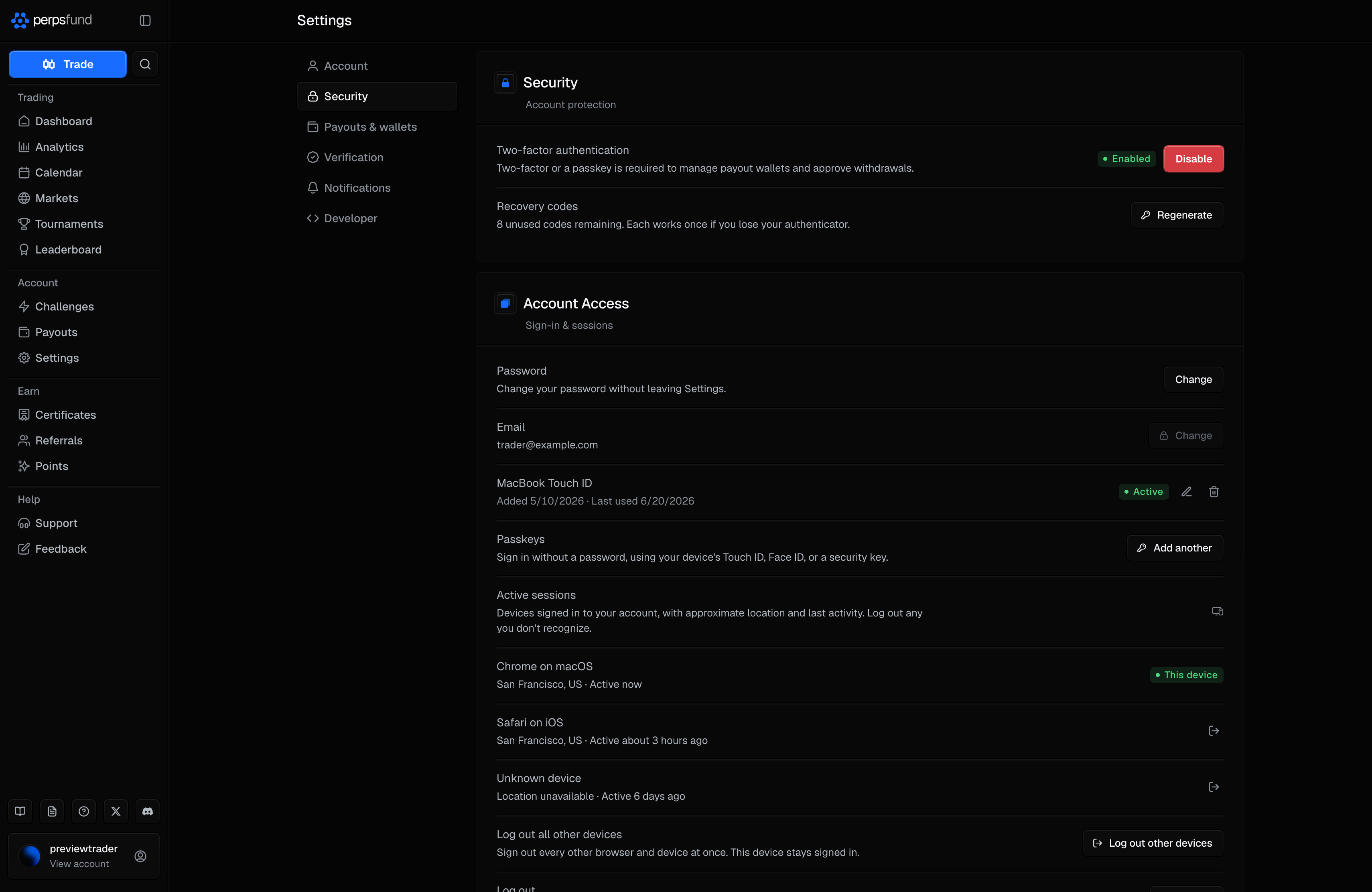
Perps Fund asks for a fresh second factor before anything moves money or changes where it goes, so a stolen session alone cannot withdraw your profit or add a wallet. This page is a quick tour of the controls; you manage all of them on the Security tab of Settings.
What needs a second factor
Your second factor is either an authenticator code (two-factor) or a passkey. Either one satisfies every step-up below, and you only need one of them.
| Action | What it asks for |
|---|---|
| Requesting a payout | A fresh two-factor code or a passkey. |
| Adding or removing a payout wallet | A fresh two-factor code or a passkey. Without either on your account, you cannot manage wallets at all. |
| Changing your password | Your current password, plus a fresh two-factor code or a passkey if you have one. |
| Turning on two-factor, adding or removing a passkey | A current two-factor or recovery code or a passkey if you have one; otherwise your password. |
Set up a factor before your first withdrawal
Because payouts and wallets need a second factor, add two-factor or a passkey early so it is not in your way when you want to be paid.
Two-factor authentication
Two-factor (2FA) is a 6-digit code from an authenticator app such as Google Authenticator, 1Password or Authy. When you turn it on you also get a set of recovery codes, shown once: each one works a single time if you lose your authenticator, and Regenerate replaces the whole set. Too many wrong codes lock two-factor for a few minutes, so a code cannot be guessed.
Passkeys
A passkey uses your device (Face ID, Touch ID, a fingerprint, or a security key) instead of a code. It does two jobs:
- It signs you in without a password. On the sign-in page, choose Sign in with a passkey, or, where your browser supports it, pick your passkey from the suggestions in the username field.
- It approves payouts and wallet changes, exactly as a two-factor code does.
Add one from Settings > Security > Account Access > Passkeys. You can add several, rename them, and remove any you no longer use.
Your password
Change it from Settings > Security > Account Access > Password. You enter your current password and the new one twice; if you have two-factor or a passkey, you also confirm with one of them. The change signs out every other device, and the device you are on stays signed in.
If you are locked out, use Forgot password? on the sign-in page: enter your email, and we send you a link to set a new one. The link works once and expires; if it has, request a fresh one from the same place.
Signed-in devices
Active sessions lists every device signed in to your account, with its approximate location and when it was last active; the one you are using is marked This device. You can log out any other device on its own, or use Log out all other devices to sign them all out at once while this one stays signed in. Log out at the end of the section signs you out here.
New sign-in notices
When your account is signed in from a browser it has not seen before, you get a security notice in the app (under the bell) titled "New sign-in to your account", with the browser, operating system and approximate location. The trigger is the browser, not your network: switching Wi-Fi, using a VPN, or travelling with the same browser does not raise one. The very first browser you ever sign in from is recorded quietly.
If you get a notice you do not recognise, change your password (which signs out every other device) and check that two-factor or a passkey is on.
Security notices always reach you in the app, whatever your notification settings. The same kind of notice is sent when your password changes, two-factor is turned on or off, a passkey or a payout wallet is added or removed, a recovery code is used, or other devices are signed out.
Related
- Settings - the full Security tab, plus wallets, verification, and your data.
- Creating an account - sign up and verify your email.
- Payouts - where the second factor and the new-wallet hold come into play.