Spectating
Watch an opted-in trader's live terminal read-only - their balance, equity, open positions and P&L as they happen, with no way to act on the account.
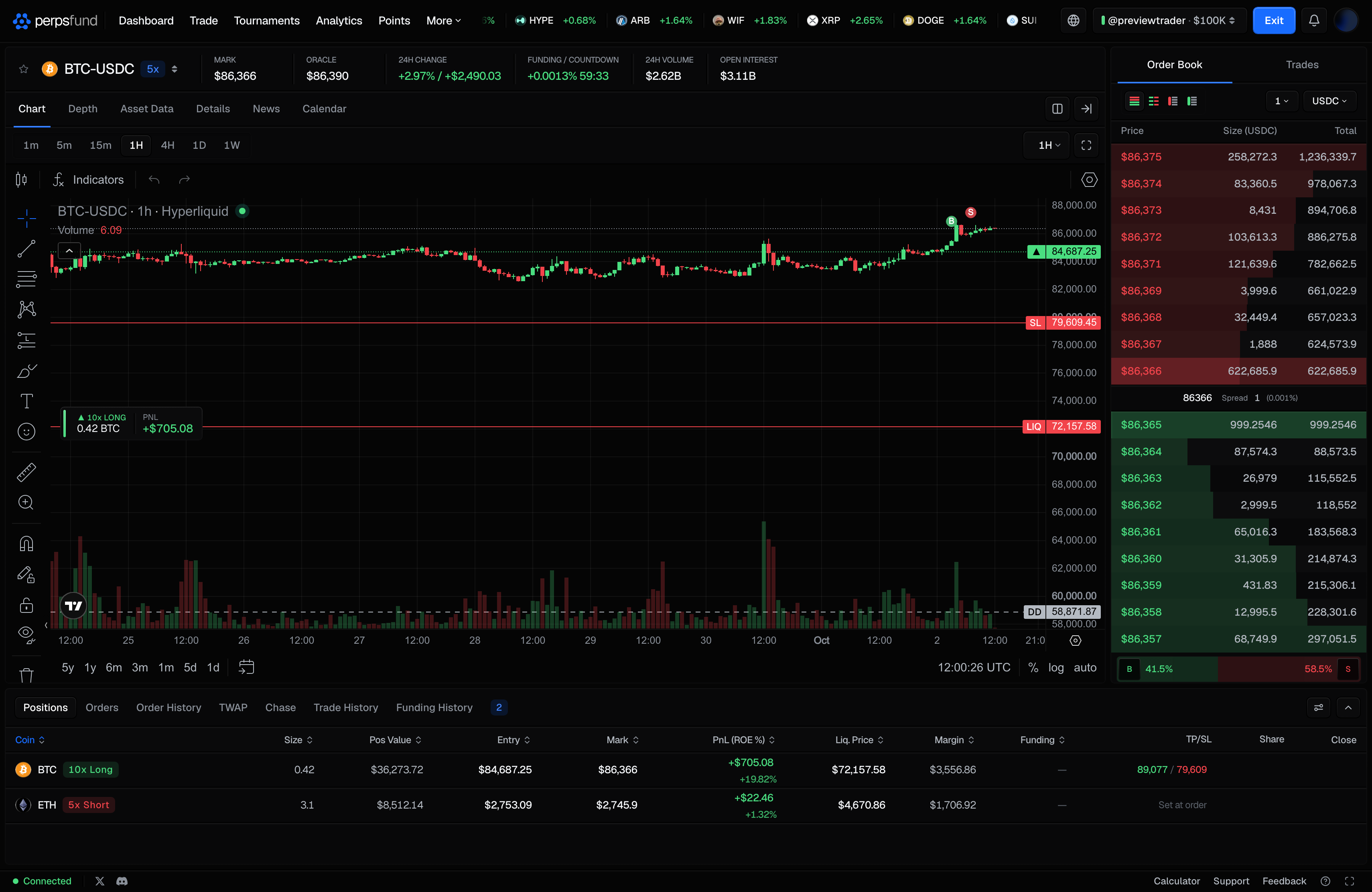
Spectating opens a trader's live terminal read-only at /spectate/<username>. You see the terminal they see,
with their balance, equity, open positions and P&L updating in real time, and every control that could act on
the account removed.
It is the same terminal component the trader uses, not a simplified copy, so what you are watching is what is actually happening on the account.
When you'd use it
- From the leaderboard - a trader who allows it has a LIVE pill on their row (and on their podium card). Select it to start watching.
- From a trader profile - the Watch live button takes you from the track record to what they are doing right now.
- To learn from a live account rather than from a finished result.
What you can and cannot do
| You can see | The balance, equity, open positions and live P&L, alongside the terminal's live chart |
| You can do | Nothing to the account: there is no order entry, and no close or edit controls |
| At the top | The trader's username and the account's size, which becomes an account picker when they have more than one account you can watch, and Exit, which takes you back to their profile |
| On the phone | The phone terminal in read-only mode, without the Trade tab |
Choosing an account. If the trader has more than one account you can watch, the picker at the top switches between them, listing each by size and status (the button itself shows the size). Funded accounts come first. Free trials are never shown. Every read is checked again on the server, so a link to an account that is not watchable does not open.
Spectating is a second opt-in
Live positions are a separate consent from a public profile
A public trader profile shows a track record in percentages. Spectating shows your balance and live positions as they happen, which is far more revealing. So it is a second, independent switch: a trader must turn on both Public profile and Live spectating before anyone can watch.
- Turning Public profile off turns Live spectating off too. You cannot be watchable with a private profile, and Live spectating cannot be turned on until Public profile is.
- A trader who has not opted in is unreachable, not merely hidden: the data behind the view is refused for an account that is not watchable, so there is nothing to see even with a direct link.
- Spectator pages are not indexed by search engines.
To let others watch you, turn on both switches under Privacy in Settings. To stop, turn off either one.
Related
- Trader profiles - the public track record, and the first of the two switches.
- Leaderboard - where the LIVE pill appears.
- Terminal - the full terminal, as the trader sees it.
- Settings - the Public profile and Live spectating switches.